2026-10-03
Online Store in Pakistan: 6 Screens From Visitor to COD Order
Starting an online store in Pakistan? Walk the customer journey on a live store — homepage, category page, product page, cart, checkout and COD order — and see what each screen must get right.
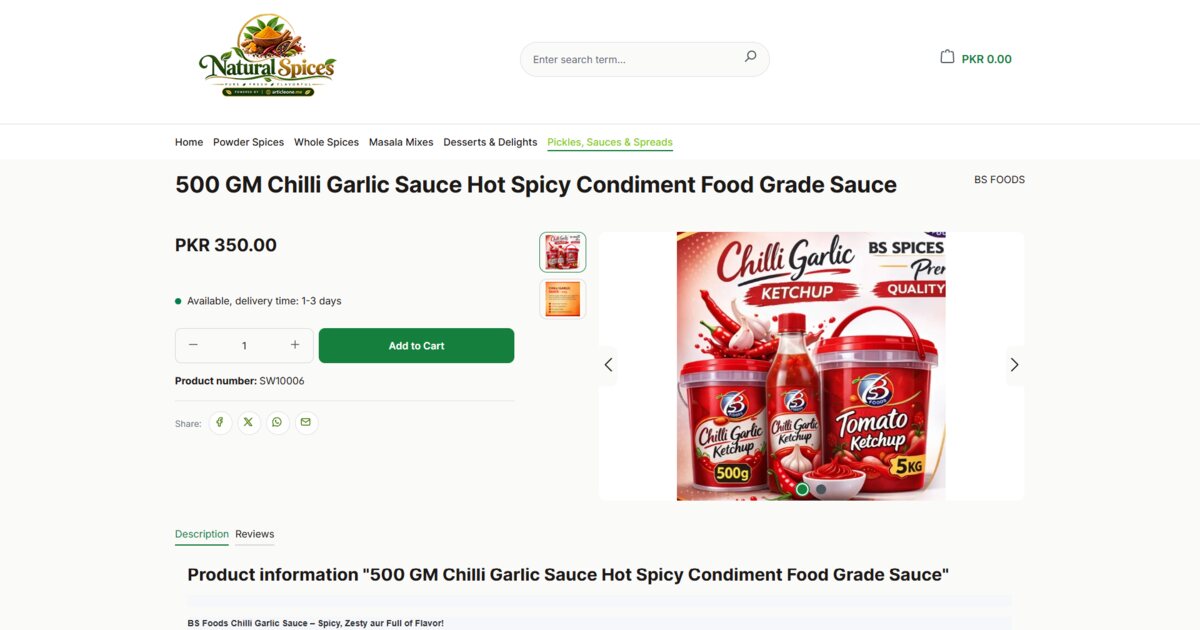
Starting an online store in Pakistan is easier than ever. Getting that store to turn visitors into orders is not. Most of the sales an e-commerce website loses are not lost to price — they are lost somewhere between the homepage and the "Submit order" button, on a screen that left a question unanswered.
So instead of another list of tips, let us follow one customer through a live store, screen by screen, from arriving on the homepage to placing a cash on delivery order. The store is a spice brand built on Shopping Store, our e-commerce platform for Pakistani businesses. You can see the same journey as a gallery.
Step 1 — The homepage: trust before products
A first-time visitor arriving from Facebook, Instagram or a WhatsApp link does not know you. Before they look at a single price, they decide whether you are a real business. The homepage has about five seconds to say three things: who you are, what you sell, and why it is safe to buy from you.
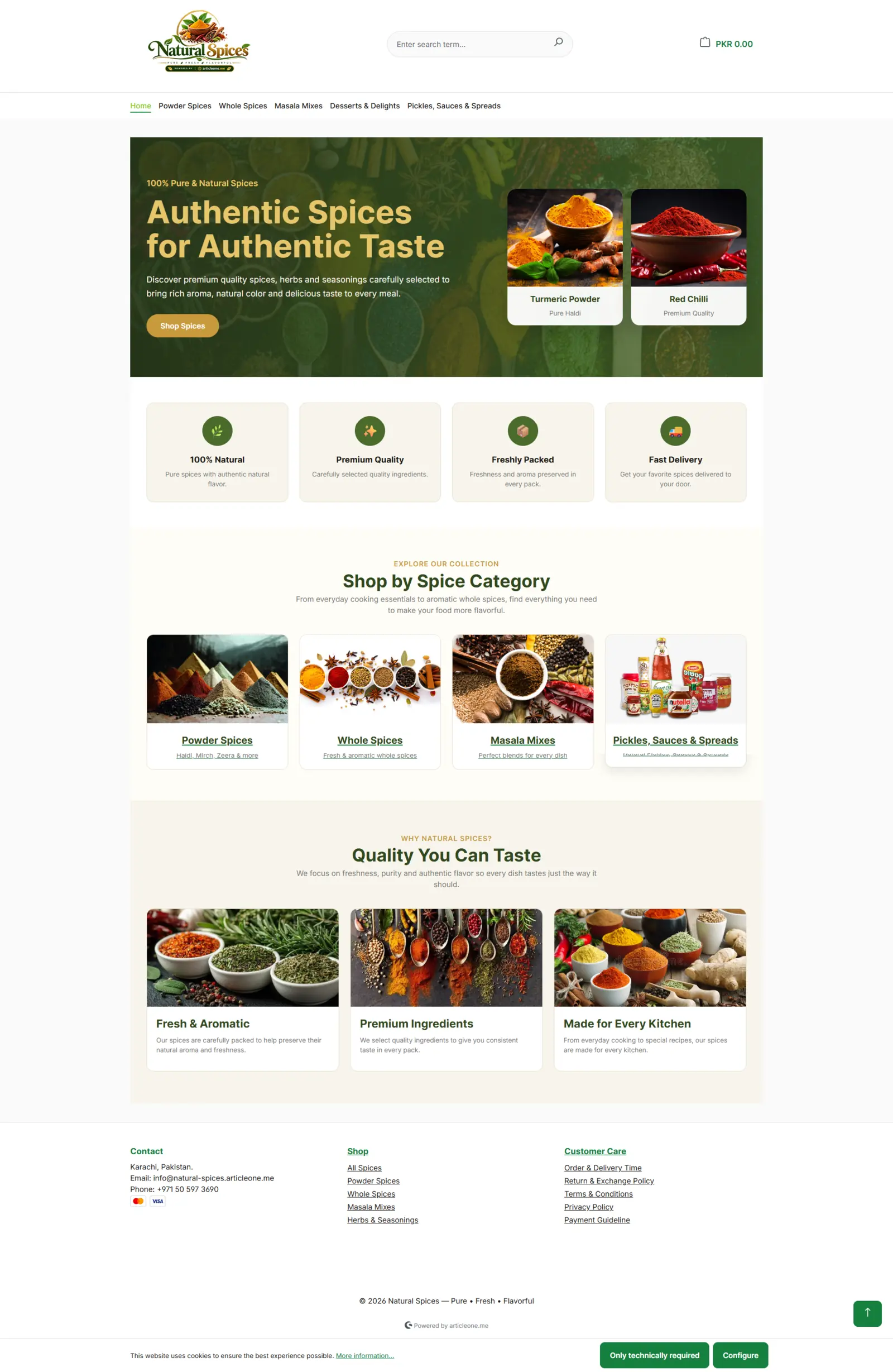
Notice what this homepage does well: its own logo and domain, a hero that says exactly what is sold, four short trust badges (natural, quality, freshly packed, fast delivery), and category tiles that take the visitor straight into the range. In Shopping Store these sections are built with a no-code page builder, so the owner can change a banner for Eid or a sale without a developer.
Step 2 — The category page: help people narrow down
Once a visitor clicks a category, the job changes from persuading to helping them choose. A good category page shows clear product photos, prices in rupees, and filters that match how people actually shop — by brand and by price — with sorting and a choice of grid or list view.
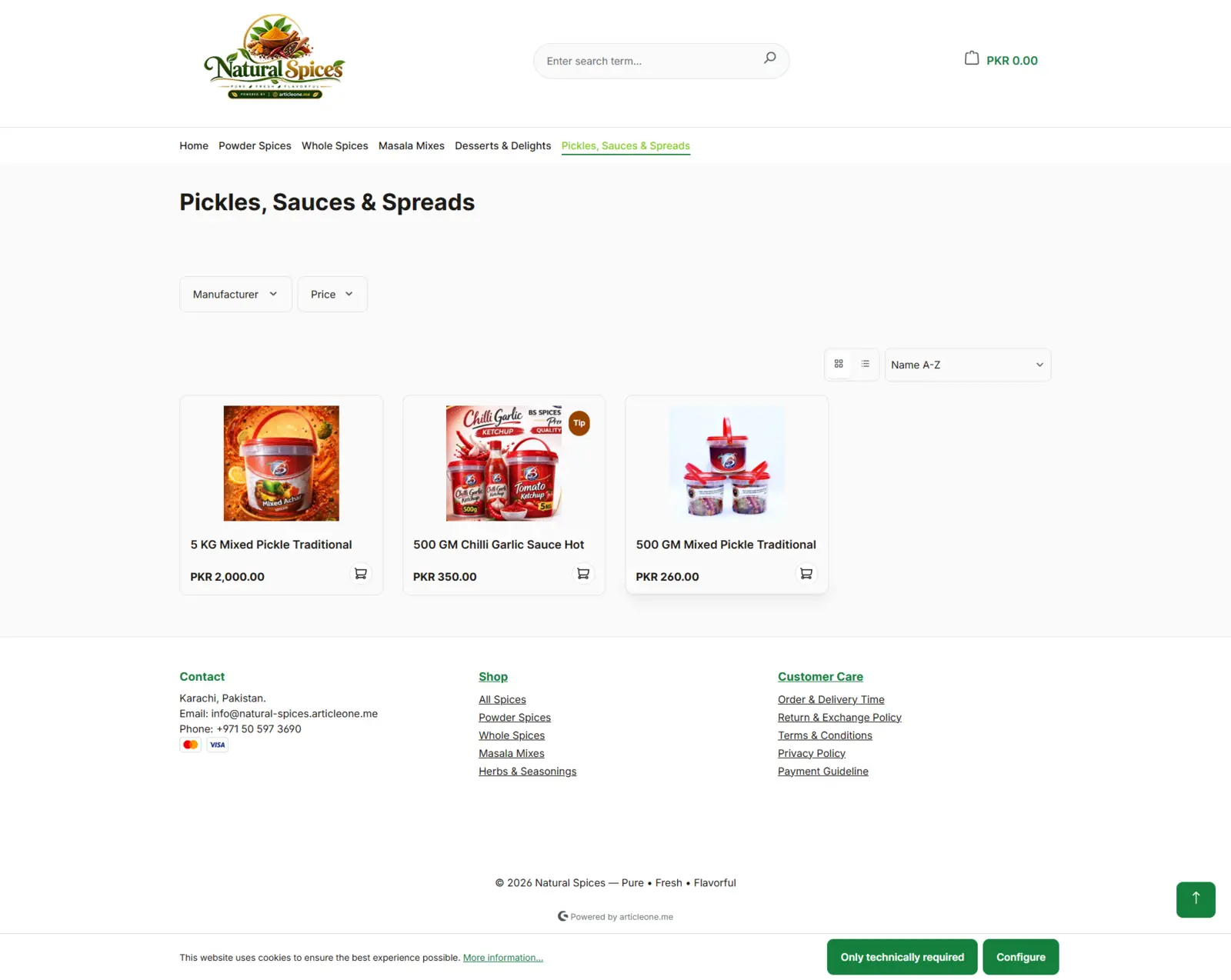
Two quiet details matter here. Every product card has an add-to-cart button, so a repeat customer who knows what they want never has to open the product page. And the cart total stays visible in the header on every screen.
Step 3 — The product page: answer every question above the fold
On the product page, a customer is asking: What exactly is this? How much? Is it in stock? When will it arrive? Every unanswered question is a reason to close the tab or send a WhatsApp message instead of ordering.
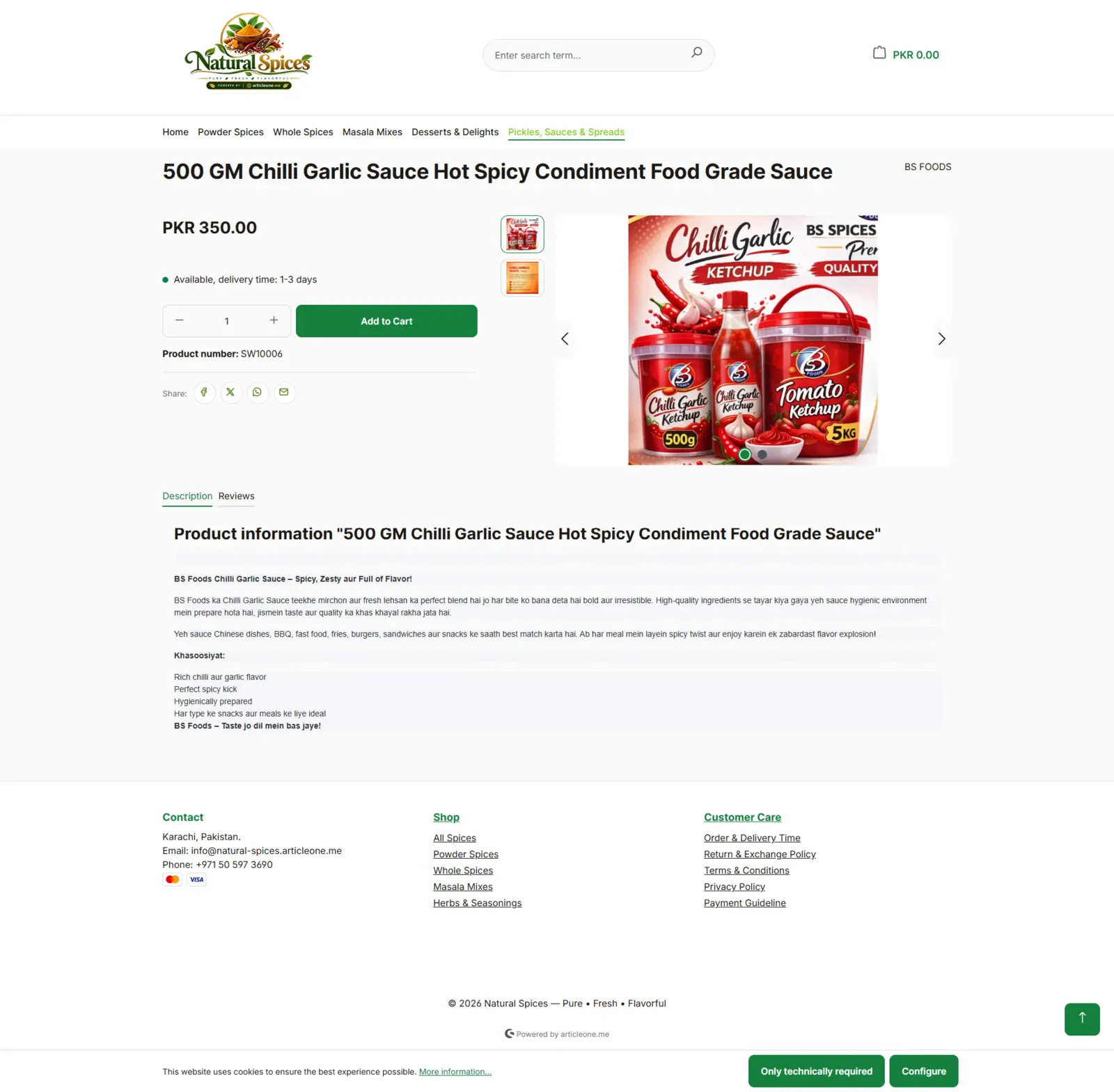
This page answers all four before the customer scrolls: price, availability, a delivery window of one to three days, and large images. The description is written in Roman Urdu — the way many Pakistani customers actually search and read — and the share buttons send the product to WhatsApp or Facebook in one tap, which is how a lot of buying decisions in Pakistan get made: by asking someone at home first.
Step 4 — The cart: keep the momentum
When a customer adds to cart, the worst thing a store can do is throw them onto a different page and make them find their way back. A slide-out cart confirms the item, shows the quantity, the expected delivery dates and the shipping cost, offers a voucher field, and puts "Go to checkout" right there — while the product page stays behind it for anyone who wants to keep shopping.
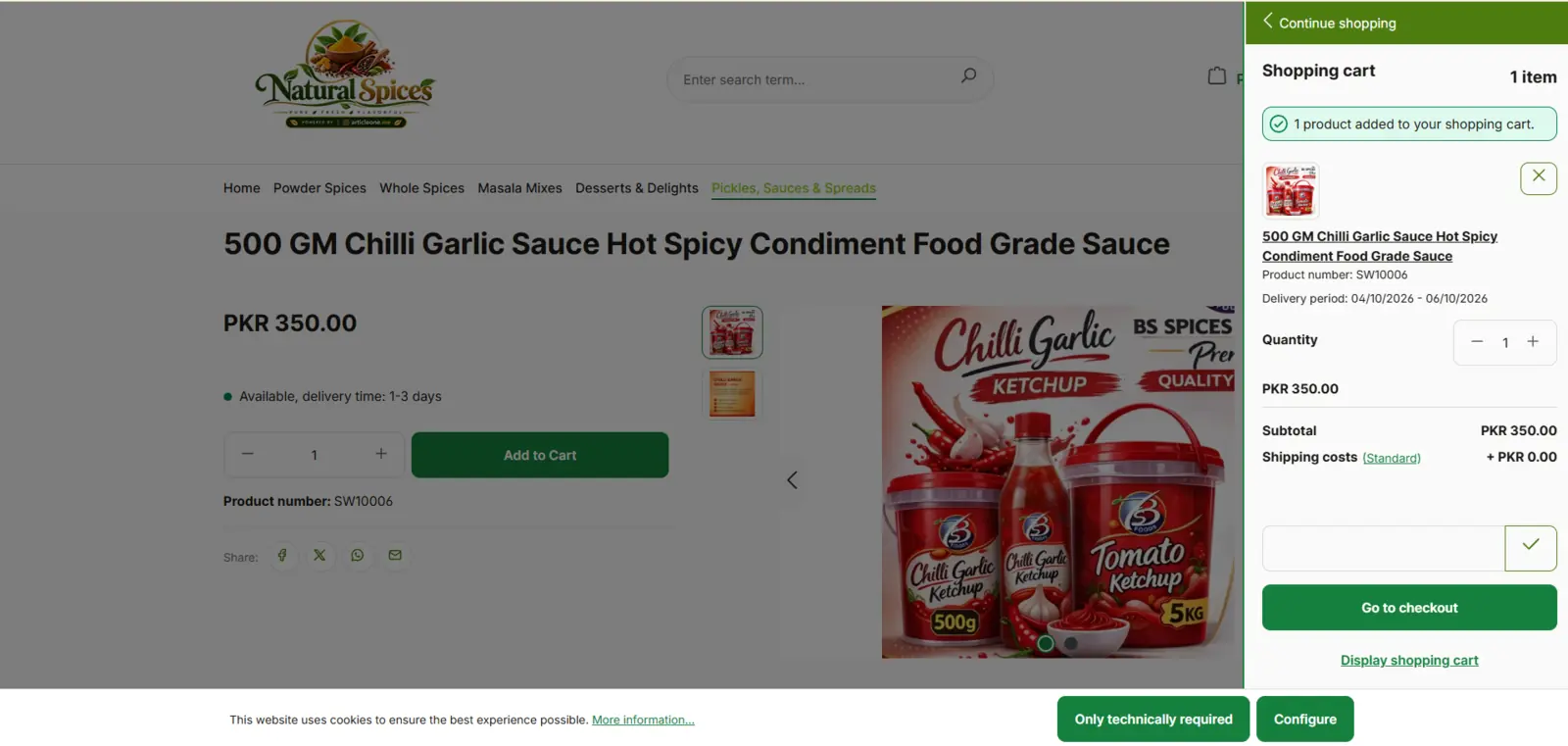
This is also the best moment to raise order value. Shopping Store's built-in recommendations — "frequently bought together", up-sells and cross-sells — are covered in nine ways to sell more per order.
Step 5 — Checkout: no forced sign-up
Forcing a first-time buyer to create an account is one of the most reliable ways to lose an order. Guest checkout asks only for what is needed to deliver: name, email and address. Creating an account is a tick-box, not a wall.
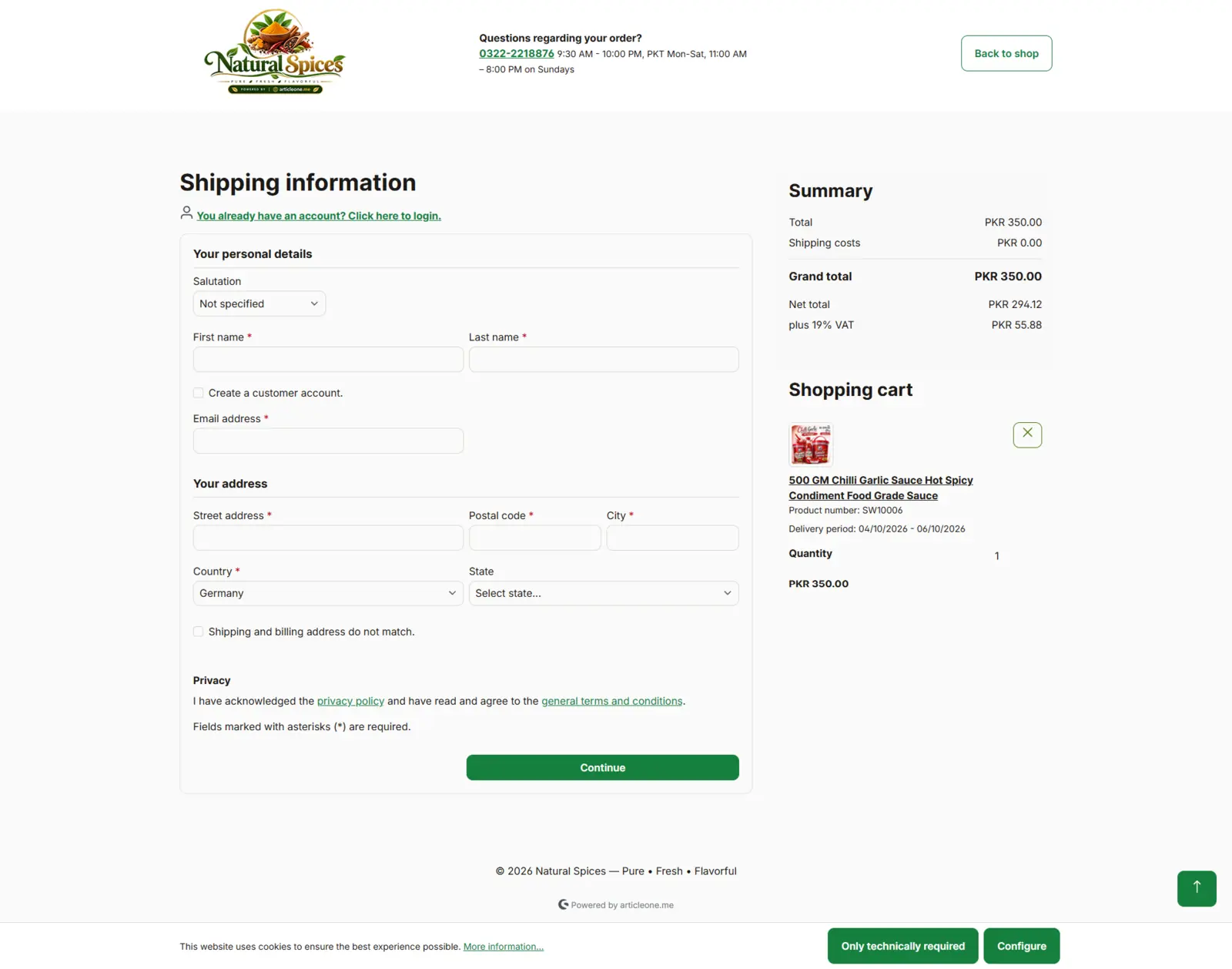
Look at the top of the page: the store's phone number and support hours. A customer who hesitates at checkout can call instead of leaving — and that small line recovers orders.
Step 6 — Place the order: cash on delivery and a clear total
The last screen is a review. Shipping and billing address, the payment method, the shipping method and the grand total — all on one page, with nothing hidden until after the click.
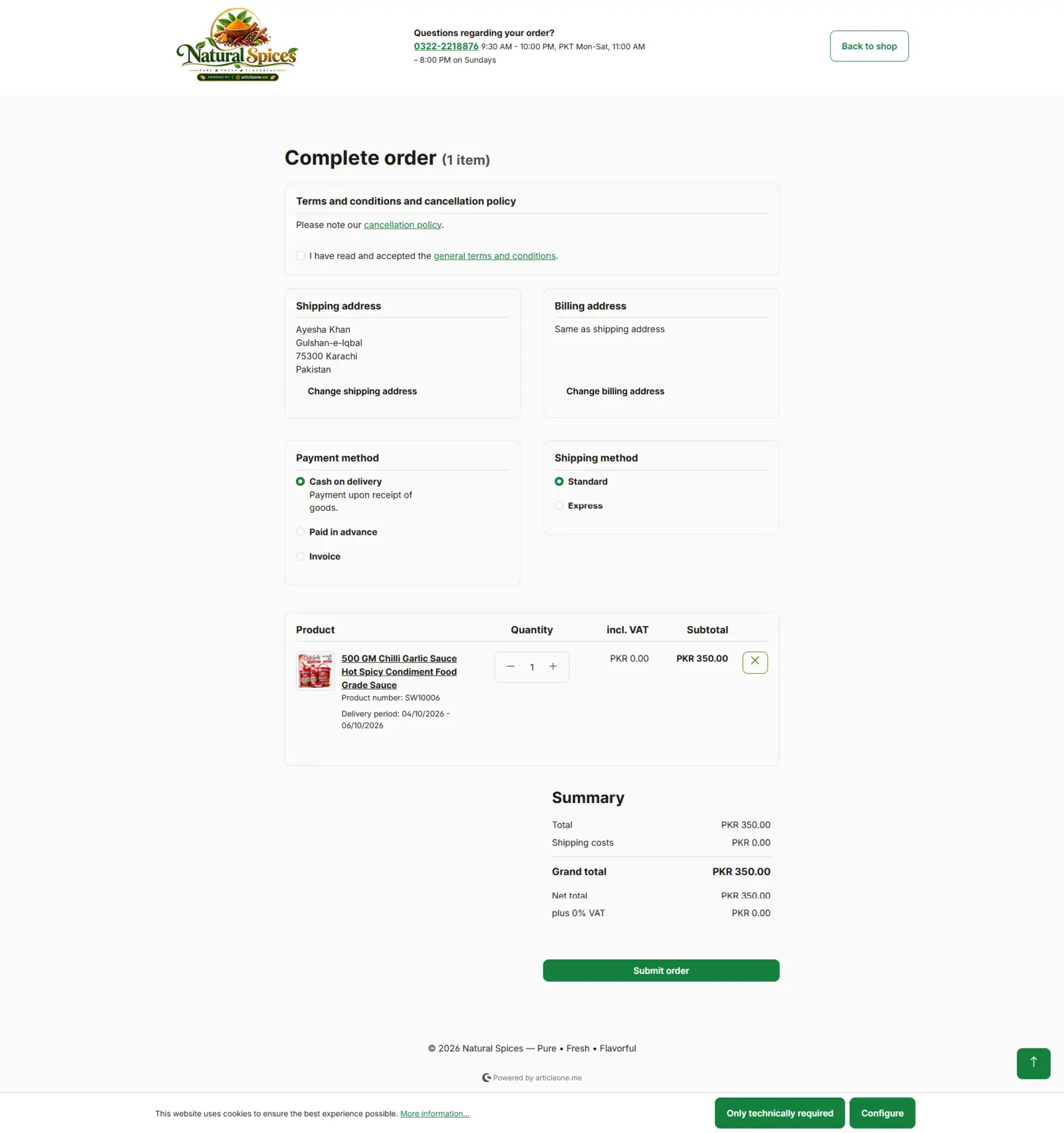
Cash on delivery still carries a large share of online orders in Pakistan, because it removes the buyer's biggest fear: paying for something that never arrives. Offer it by default, and add advance payment for customers who prefer it. For wholesale and business buyers, an invoice option keeps B2B orders in the same store.
Launching your own online store in Pakistan
Everything above comes ready in Shopping Store: your own domain, logo and theme; category and product pages; the slide-out cart; guest checkout; cash on delivery; and an AI assistant that can help customers shop by text, voice, image or document. Retail and wholesale run in the same platform.
- Sign up — message us on WhatsApp and pick your plan.
- Brand it — add your domain, logo, theme and products. We help you set up.
- Go live — your store can be online and taking orders in one day.
The first month is free under the launch offer — message us on WhatsApp for plans and pricing.
Audit your own store in ten minutes
Already selling online? Open your store on your phone, as a stranger would, and check:
- Does the homepage say who you are and why to trust you, without scrolling?
- Can a visitor filter a category by brand and price?
- Does every product page show price, stock and a delivery time above the fold?
- Does adding to cart keep the customer on the page?
- Can someone check out without creating an account?
- Is cash on delivery offered, and is the full total shown before the final click?
- Is your phone or WhatsApp number visible during checkout?
Every "no" is an order you are losing today. For the setup side — domain, payments, delivery partners and policies — work through the store launch checklist most sellers skip. If you would like to learn the whole craft, our e-commerce training covers it in Urdu and English.
Take the six-step gallery tour, see the Shopping Store features, or message us on WhatsApp to claim your free first month.
Frequently asked questions
How quickly can I launch an online store with Shopping Store?
Your store can be live and taking orders in one day: message us on WhatsApp, add your domain, logo, theme and products with our help, and go live.
Does Shopping Store support cash on delivery?
Yes. Cash on delivery is available at checkout alongside advance payment and invoice, with standard and express shipping options.
Can customers order without creating an account?
Yes. Guest checkout asks only for contact details and an address; creating a customer account is optional.
Can I use my own domain and brand?
Yes. Every store runs on your own domain with your logo and theme, and the homepage sections are built with a no-code page builder.
How much does it cost?
The first month is free under the launch offer. Message us on WhatsApp for plans, pricing and the details.