2026-10-03
POS Software in Pakistan: What a Shop Needs, Screen by Screen
A practical guide to choosing POS software for a shop in Pakistan — billing, udhaar, stock, units, purchasing and staff — shown on twelve real screens from POS Stream.
Choosing POS software in Pakistan usually starts with a demo of a beautiful checkout screen. But a shop does not run on its checkout alone. It runs on what happens around it: the morning cash count, the customer who pays at the end of the month, the carton that arrives on Tuesday and sells by the piece all week, the batch that expires before anyone notices.
This guide walks through what a point of sale system for a Pakistani shop really has to do, in the order a shopkeeper meets it during the day. Each step is shown on a real screen from POS Stream, our offline-first POS for general stores, grocery stores and medical stores. You can also flip through all twelve screens in the gallery.
What a POS system in Pakistan has to handle
Before comparing features, write down the conditions your shop actually works in. For most retailers in Pakistan the list looks like this:
- Unreliable power and internet. Load-shedding and weak mobile data are normal operating conditions, not emergencies.
- Credit (udhaar). Regular customers buy now and pay later, and the shop itself buys on credit from suppliers.
- Mixed units. Stock arrives by the carton, box or dozen and sells by the piece, packet, strip or sachet.
- Batches and expiry. Essential for a medical store or pharmacy, and important for grocery.
- More than one person at the counter. Owner, manager, cashier and an accountant who closes the books.
- Tax. GST rates that differ by product and must appear correctly on the receipt.
Keep this list next to you. Every screen below answers one of these points.
1. Opening the shop: sign-in and the day at a glance
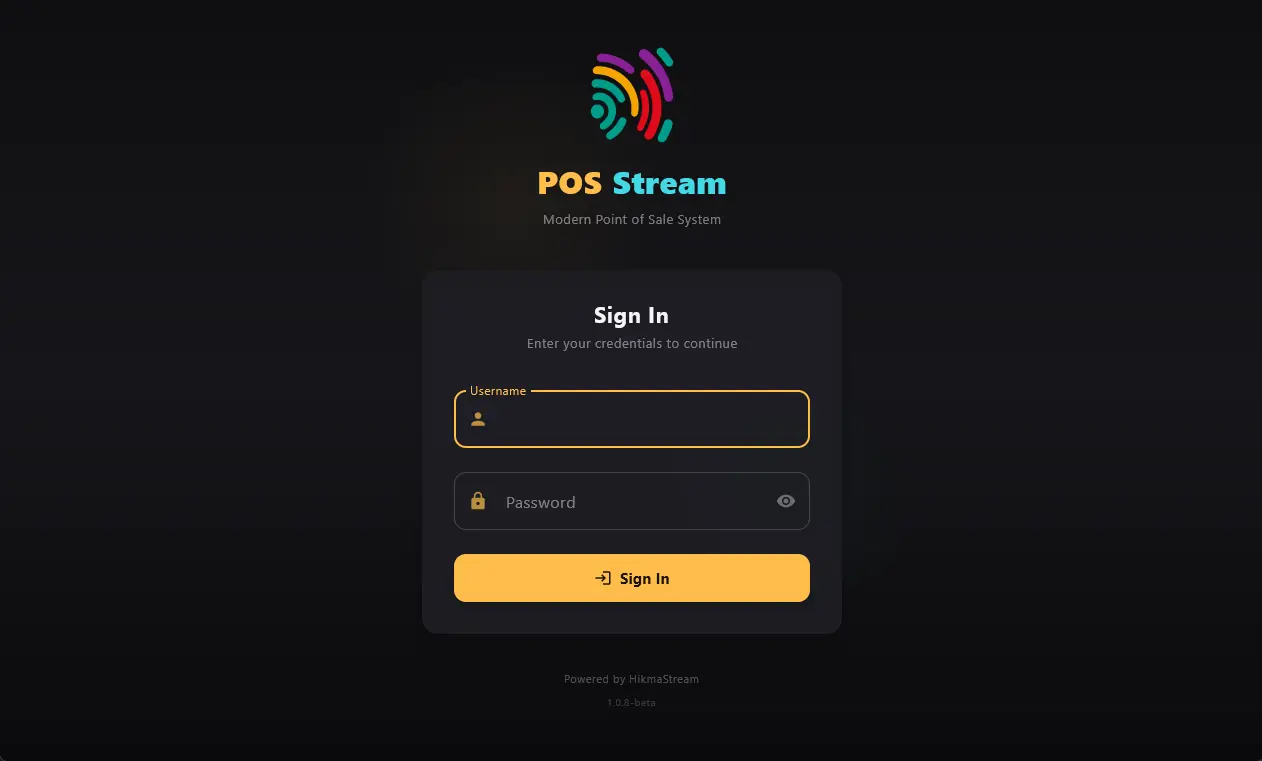
Every person at the counter should sign in with their own username. That single habit makes every sale, discount, return and void traceable to the person who made it — which is what stops small leaks from becoming big ones.
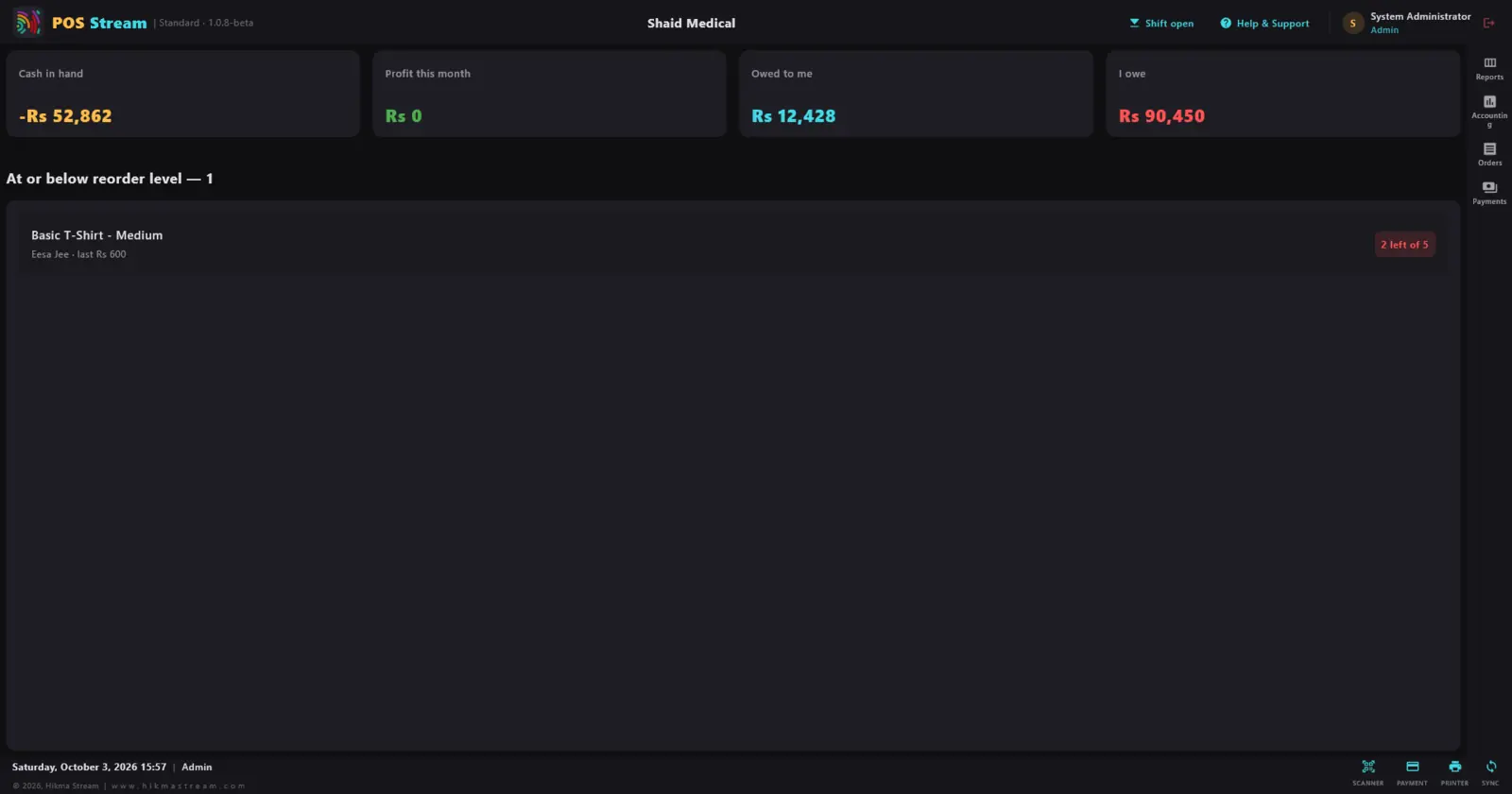
Once signed in, the first screen should answer the owner's four questions in one look: how much cash is in hand, what is profit this month, how much do customers owe me, and how much do I owe? Below that sits the list of items at or below their reorder level, so nobody has to walk the shelves to discover that a fast seller has run out.
2. Billing: a fast checkout with barcode scanning
The checkout is where a slow POS costs you customers. Look for three things: search or barcode scan from the same box, one-tap filters by category and brand, and the ability to hold an order so you can serve the next person while the first customer fetches one more item.
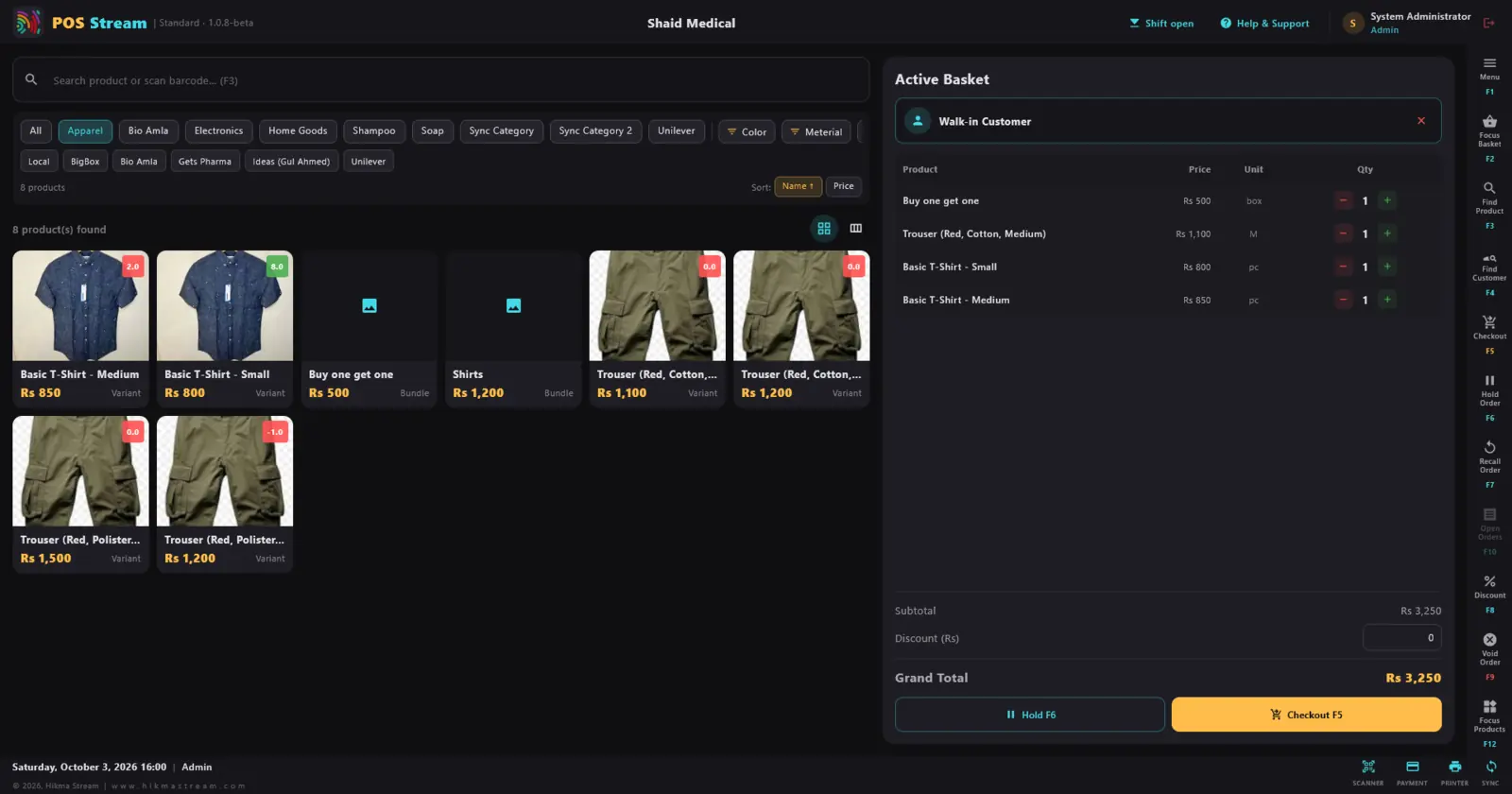
Keyboard shortcuts matter more than they look. A cashier who never reaches for the mouse is noticeably faster in a queue — POS Stream maps the common actions to function keys.
3. Order history, returns and reprinted receipts
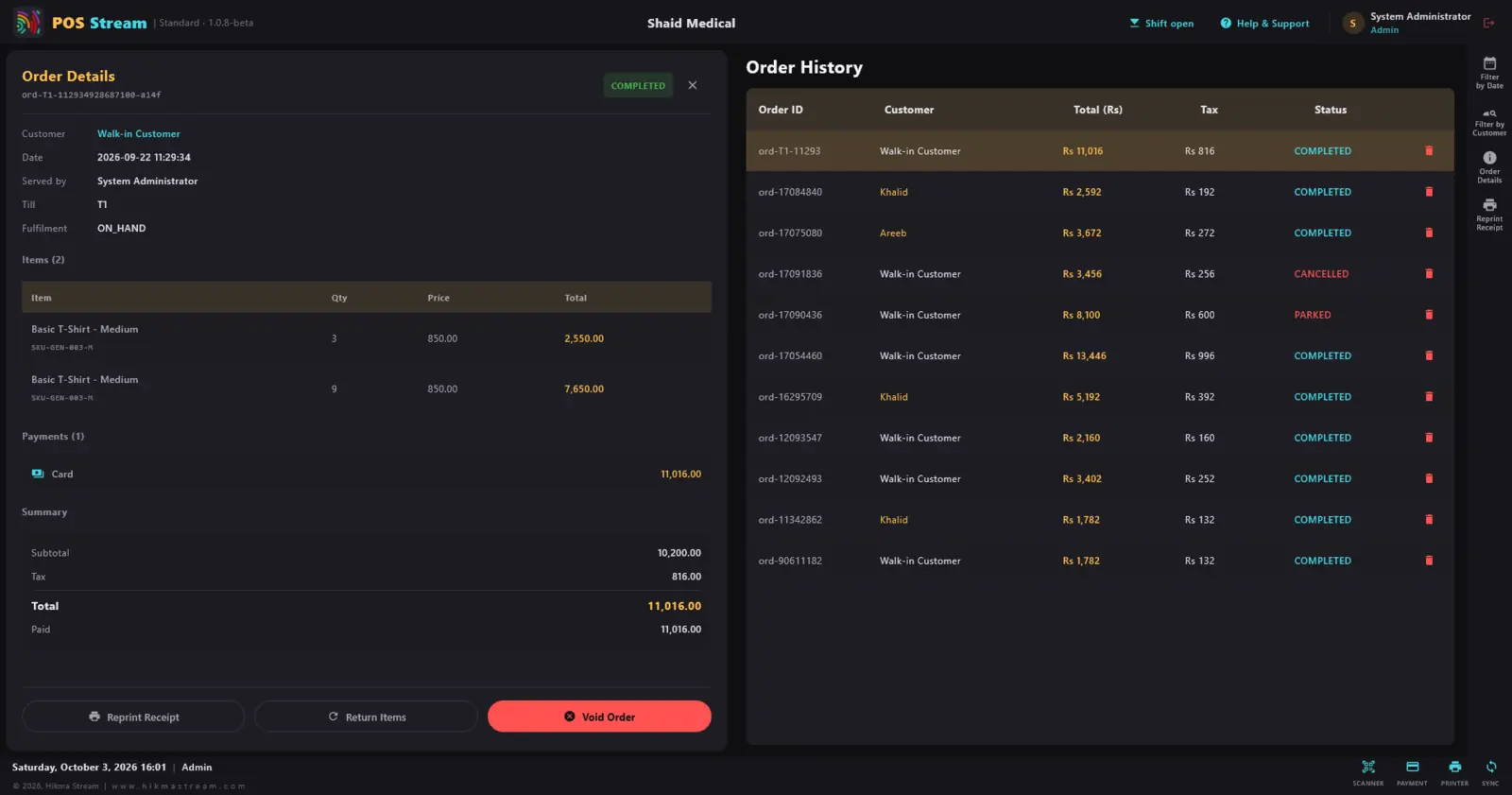
Sooner or later a customer comes back with a receipt — or without one. Your POS should find the order quickly, show who served it, on which till and how it was paid, and let you reprint the receipt, return items or void the order with the change recorded. Completed, parked and cancelled orders should be clearly separated.
4. Products: variants, bundles, barcodes and GST
A shop's catalogue is rarely a simple list. A T-shirt comes in sizes, a trouser in colours and fabrics, a promotion is "buy one get one", and an installation is a service with no stock at all. Good inventory software treats these as different product types rather than forcing everything into one form.
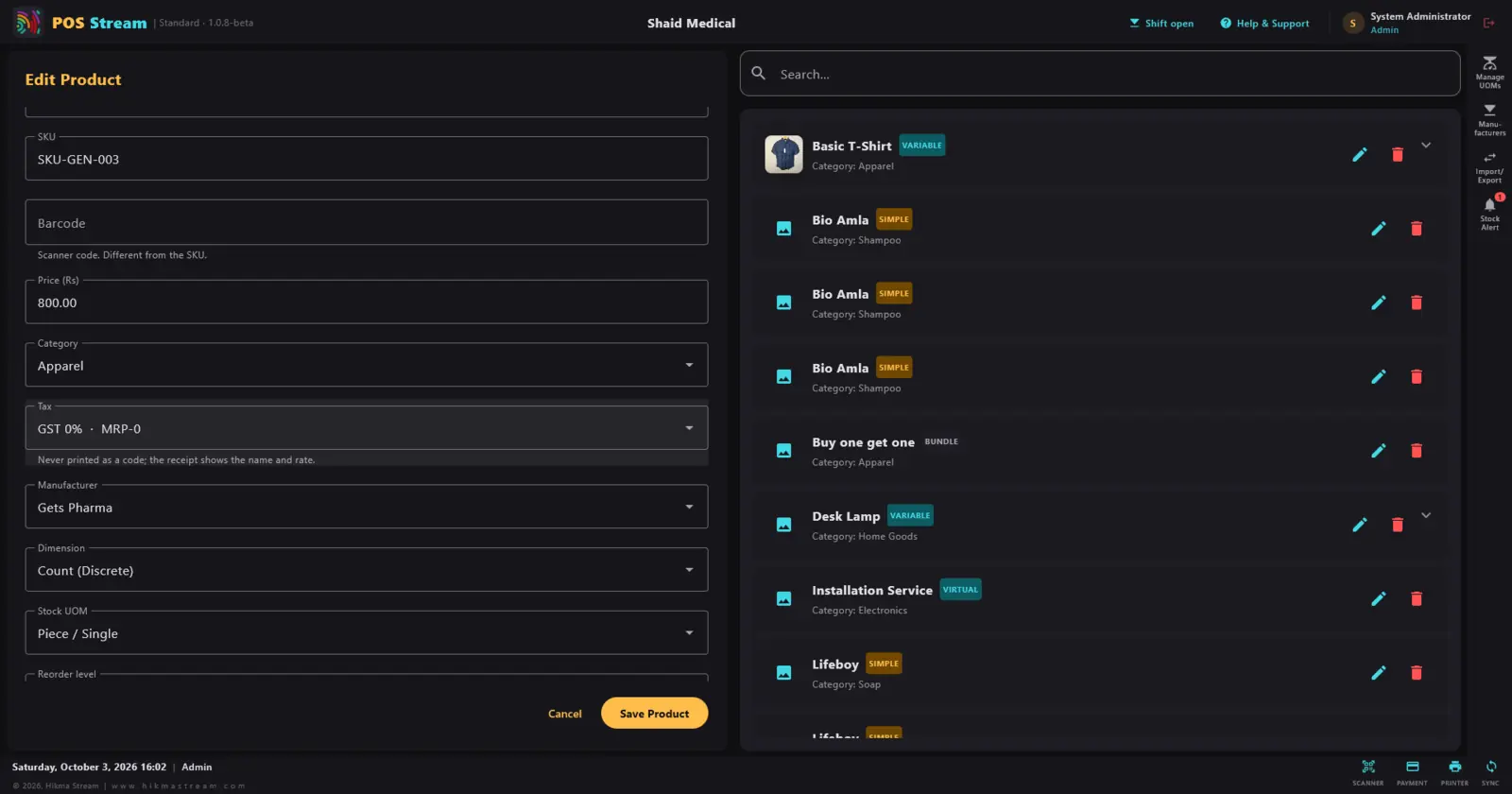
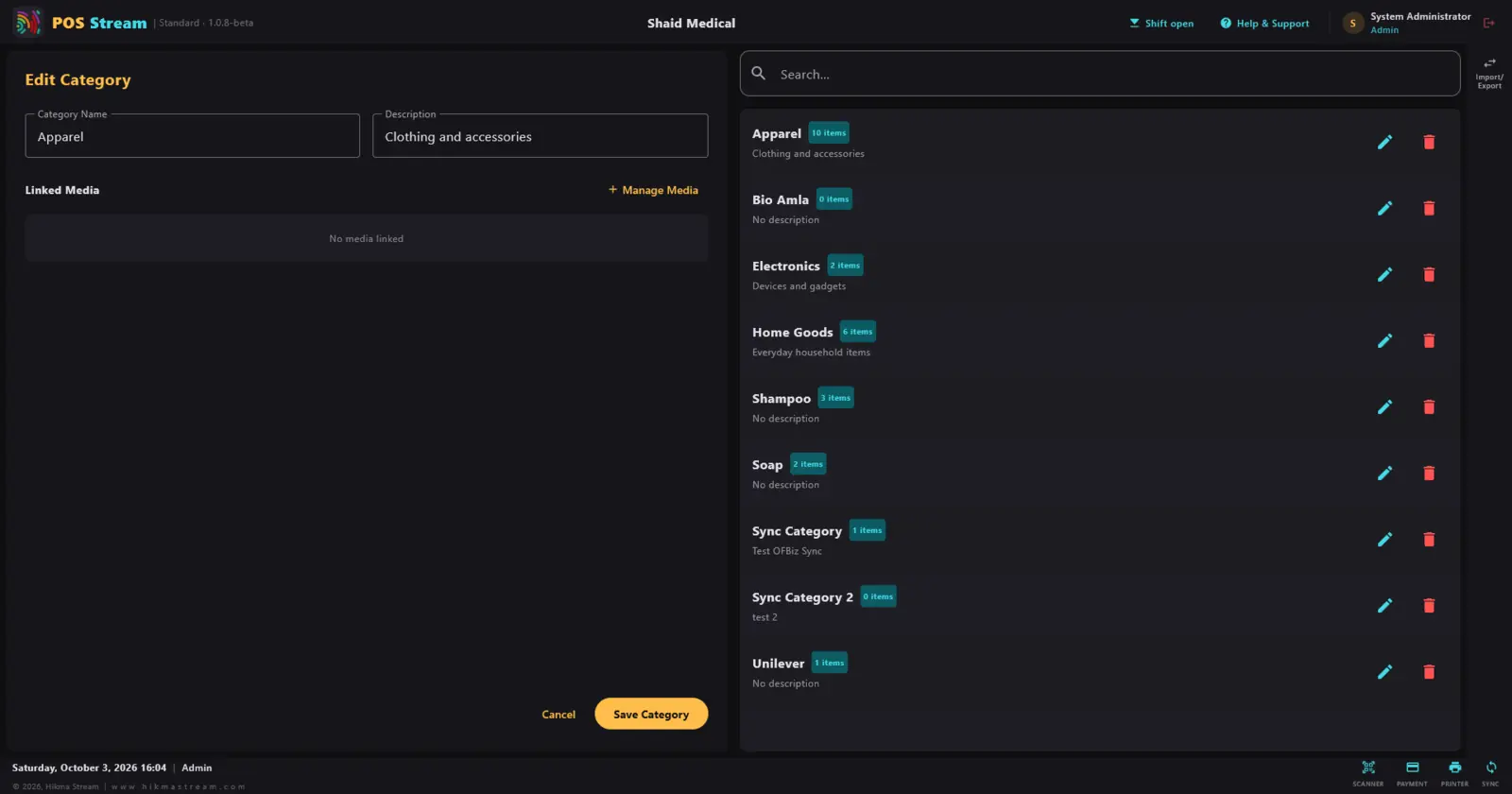
Two details are worth checking in any demo. First, the SKU and the barcode should be separate fields — your internal code and the manufacturer's barcode are not the same thing. Second, the tax rate should belong to the product, so the receipt always prints the right GST without the cashier thinking about it. Categories with item counts then keep the range organised.
5. Units of measure: sell by the piece, packet or box
This is where many imported POS systems fall down in Pakistan. You buy soap by the carton and sell it by the bar. You buy shampoo sachets by the strip and sell them one at a time. A medical store buys tablets by the box and sells by the strip.
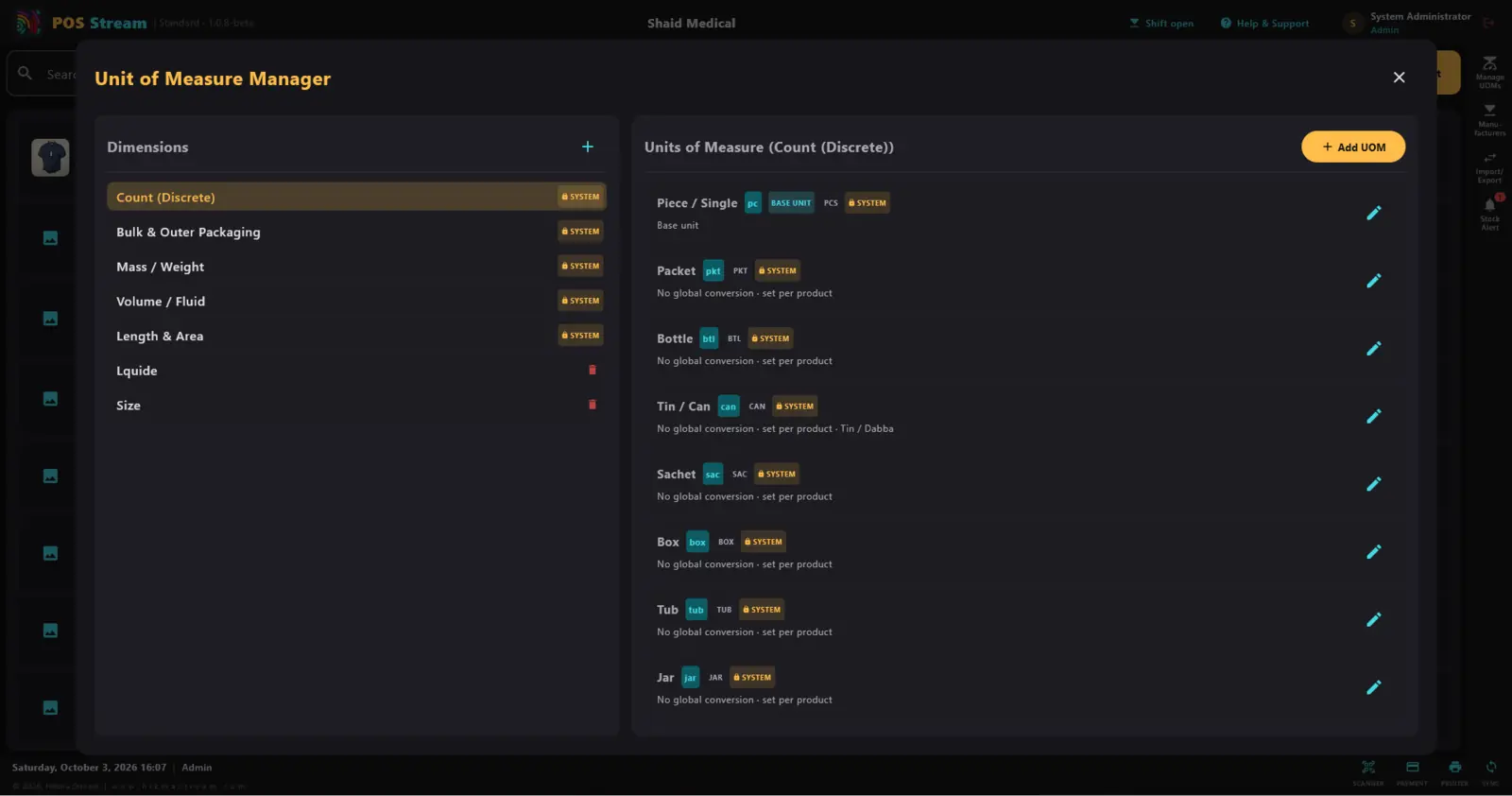
POS Stream keeps a set of ready-made units and lets you set the conversion per product, because "one box" means twelve of one thing and twenty-four of another. You can add your own units for anything local to your trade.
6. Stock audit, batches and expiry
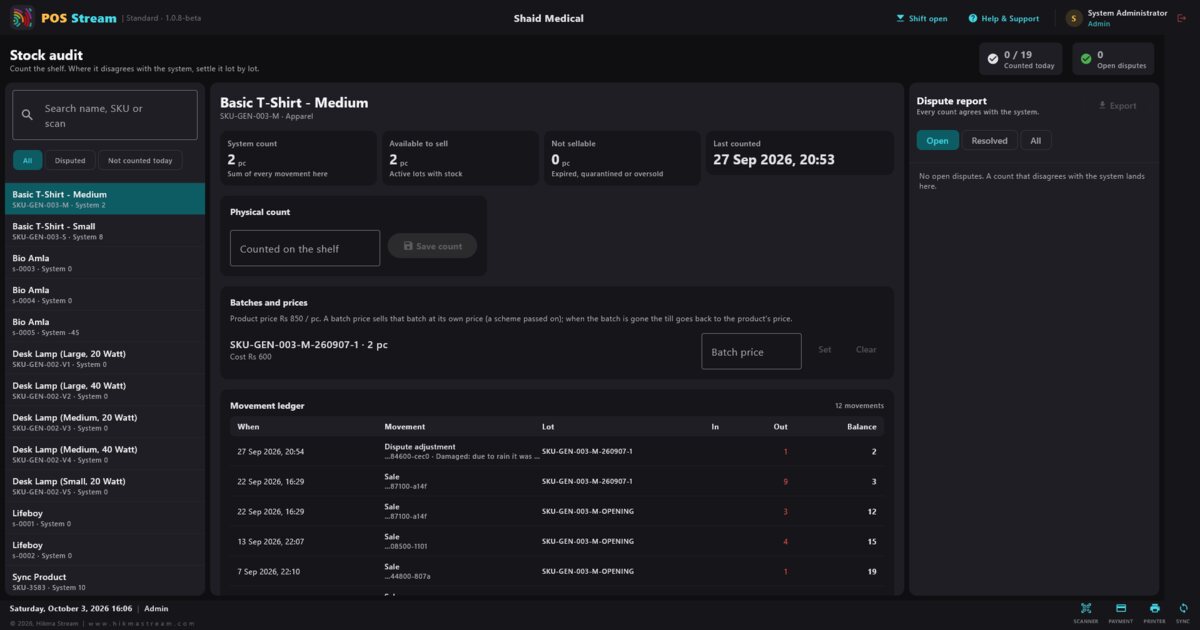
Stock that only exists in the computer is a liability. A proper stock audit compares the shelf with the system, item by item, and does not quietly overwrite the difference — it records a dispute and asks someone to settle it.
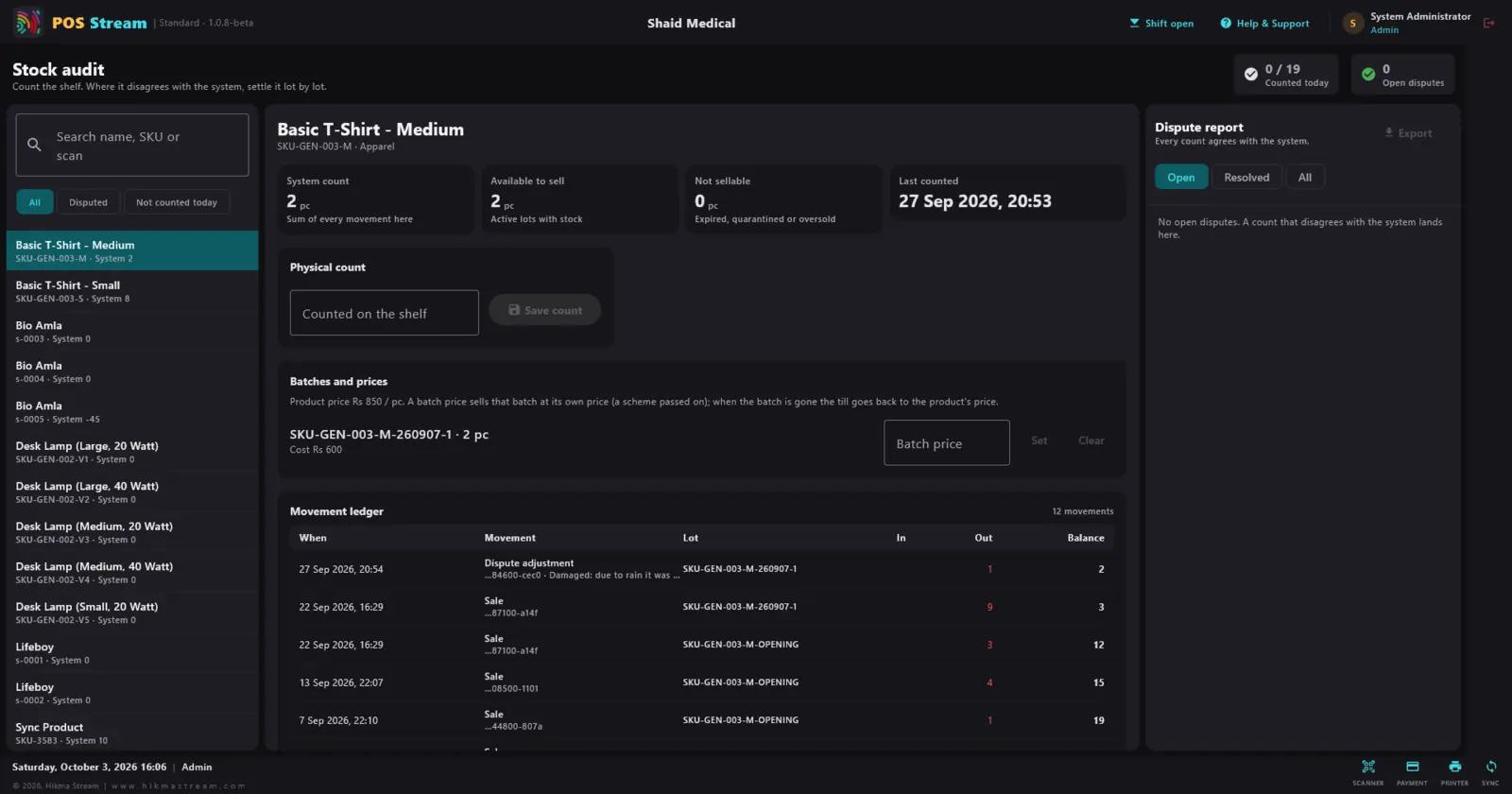
For a medical store or pharmacy, batch tracking is not optional. In POS Stream stock is tracked in lots, a batch can sell at its own price while it lasts, and the movement ledger shows exactly where each unit went — sale, damage, adjustment. The medical profile makes batch numbers and expiry dates mandatory; the grocery profile adds expiry tracking.
7. Purchasing: reorder before you run out
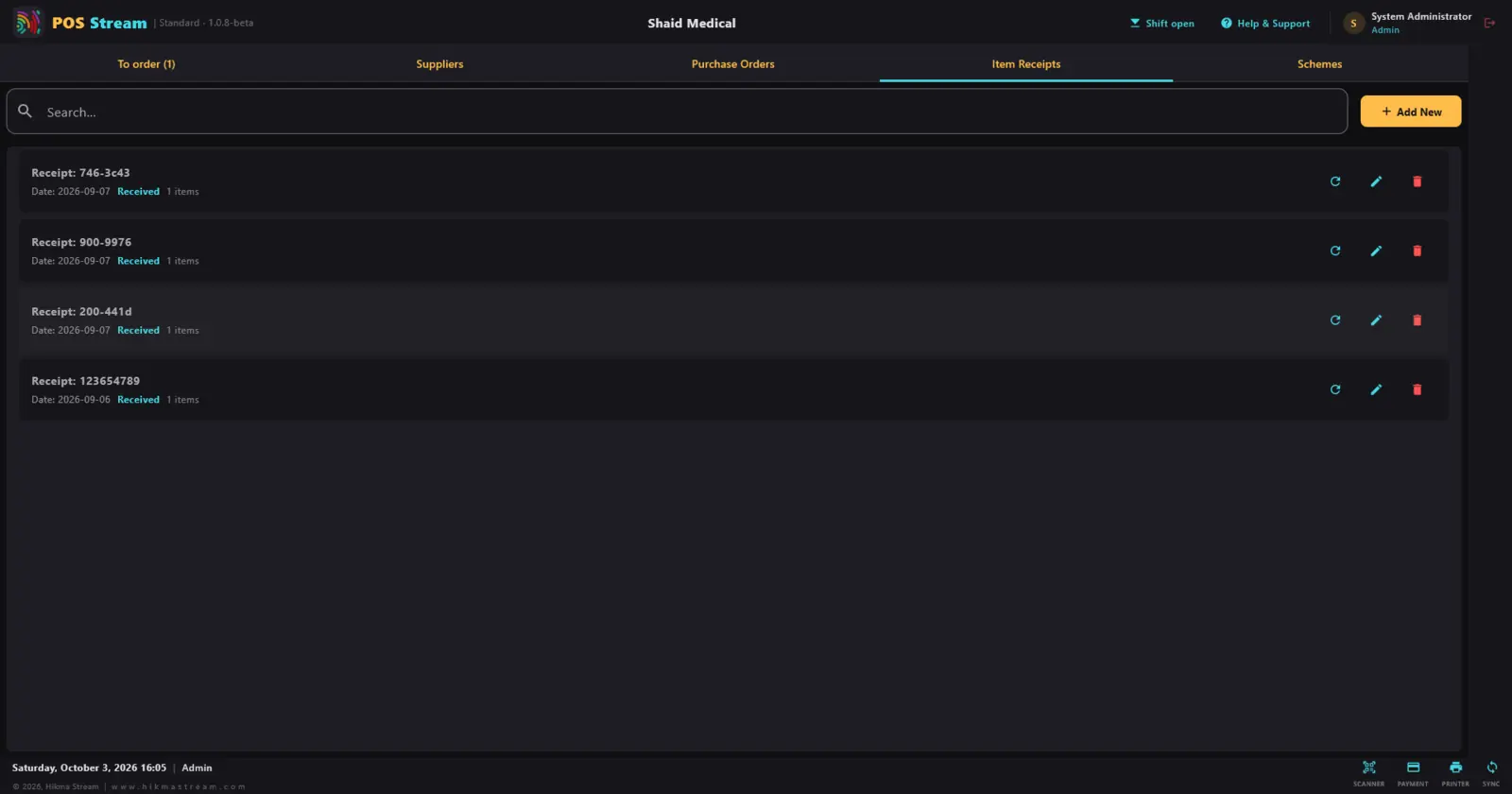
Running out of a fast seller is lost money you never see on a report. Purchasing should start from your own reorder levels: a "to order" list, your suppliers, purchase orders, and an item receipt when goods actually arrive — so stock goes up only when the delivery is checked.
8. Udhaar: customer credit and balances
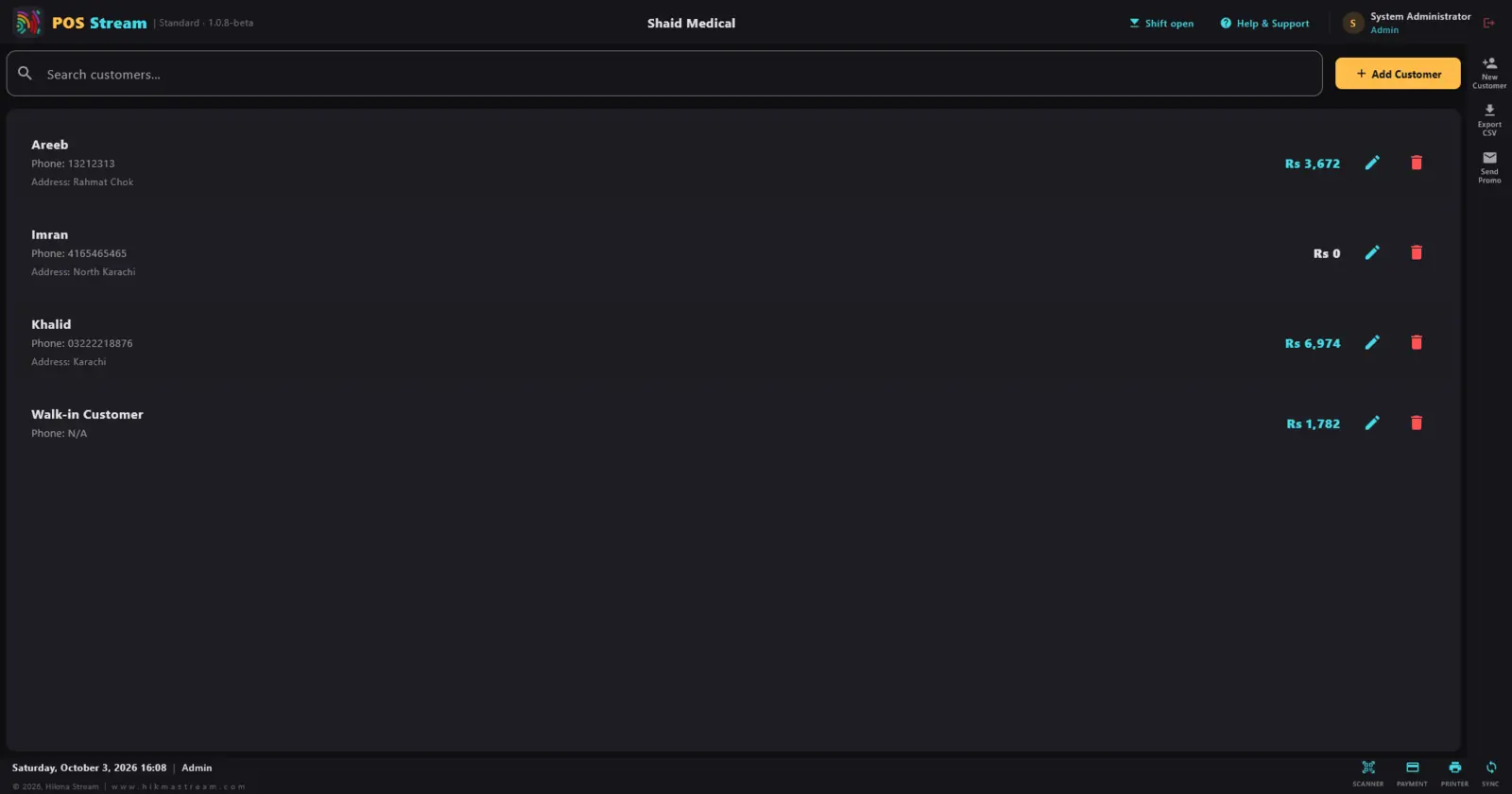
The paper khata works until it doesn't — a page goes missing, a balance is disputed, or nobody remembers who promised to pay on Friday. A POS with customer credit should show each customer's outstanding balance next to their name, record every payment against the account, and roll the total up to the home screen as "owed to me".
9. Expenses, so profit is real
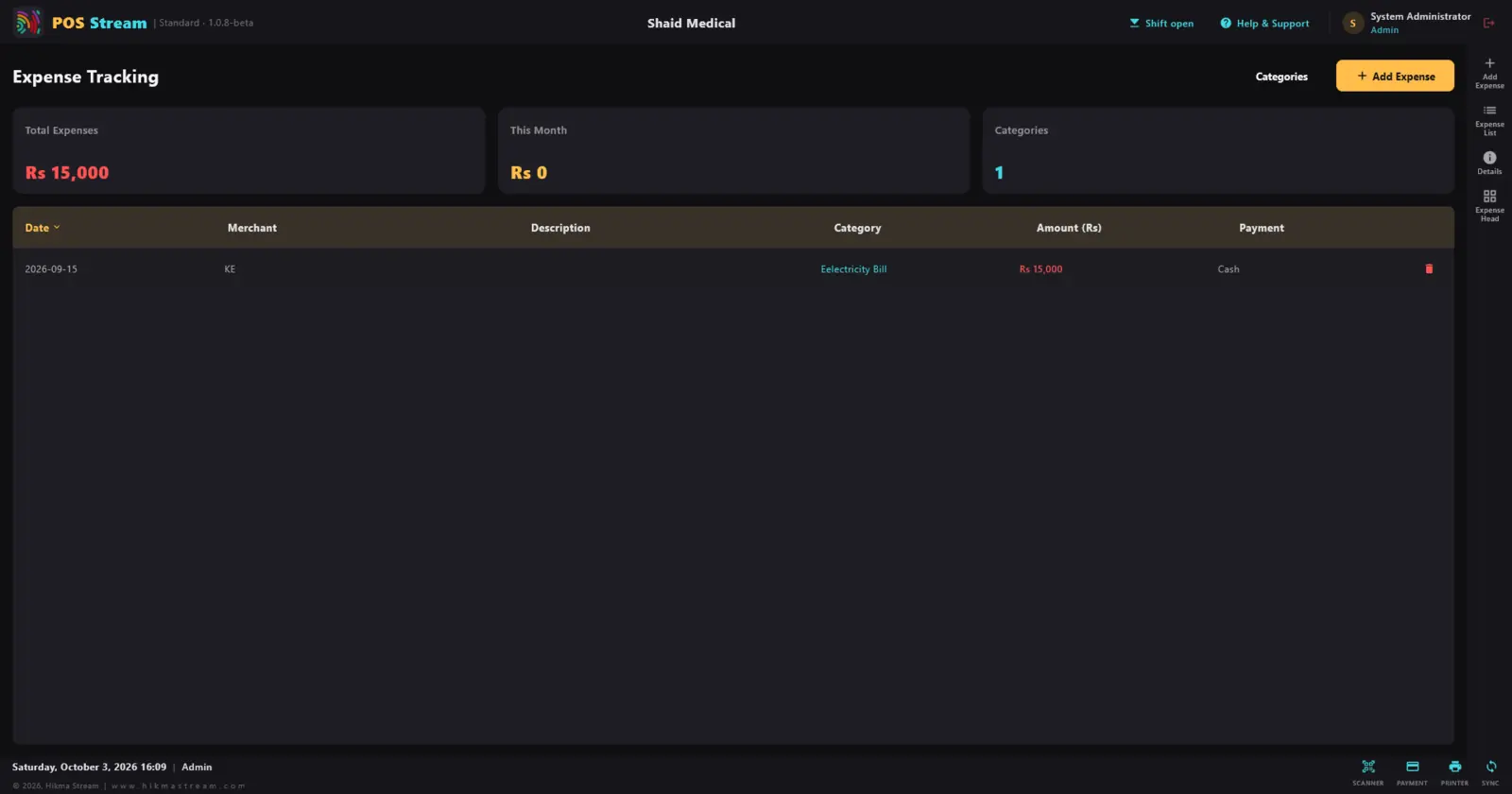
Sales minus cost of goods is not profit. The electricity bill, rent, wages and transport all come out of the same cash drawer. Recording expenses in the POS, by category and payment method, is what makes "profit this month" a number you can trust.
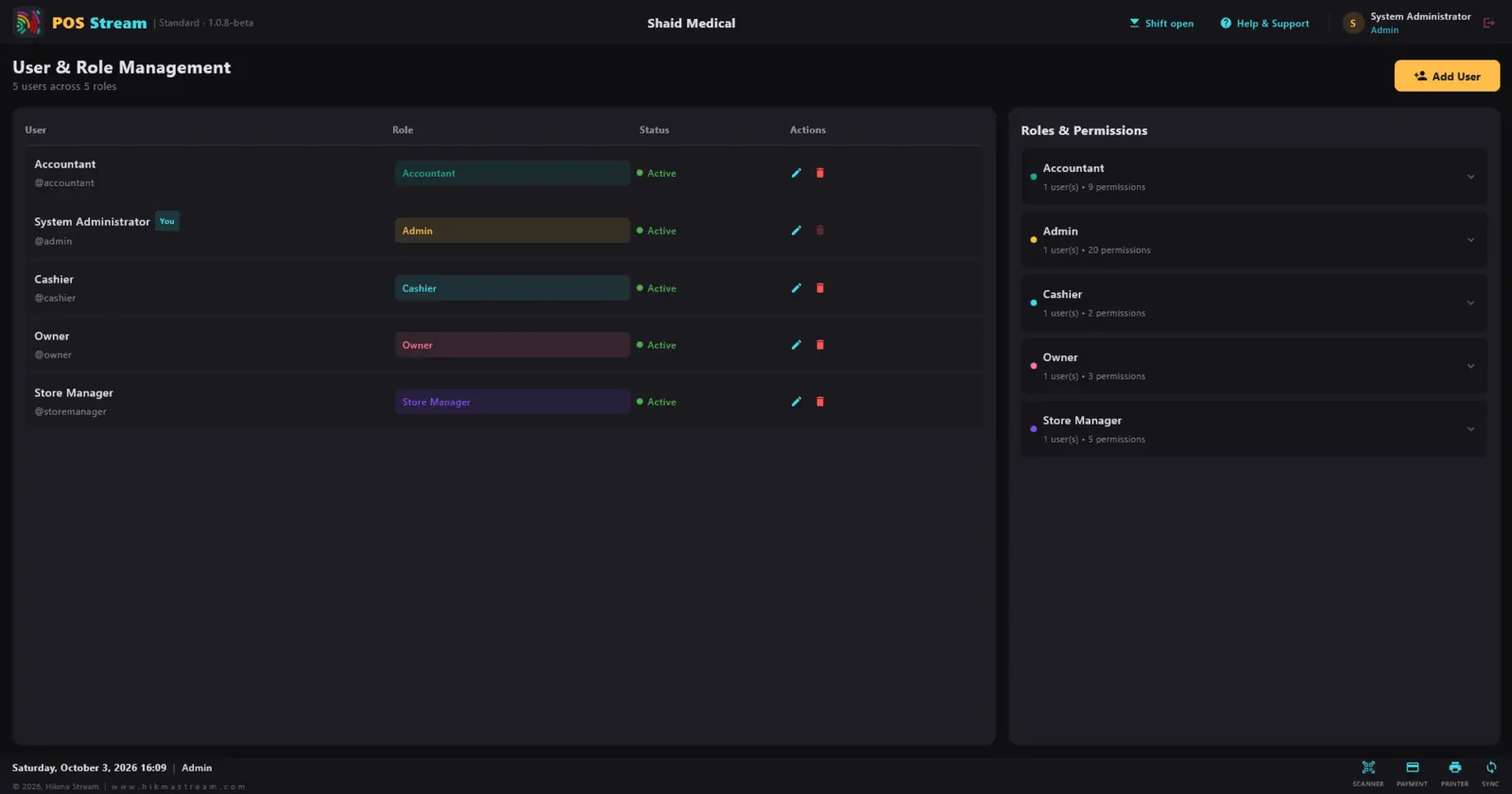
10. Staff roles and permissions
A cashier needs to sell. They do not need to change prices, delete orders or see monthly profit. Role-based access lets the owner hand over the counter without handing over the business.
A checklist for comparing POS software in Pakistan
Take this into every demo, whichever vendor you are talking to:
- Turn off the internet. Can you still sell, search, take a credit payment and print today's report?
- Does every staff member have their own login, and is every void and discount recorded against a name?
- Can you hold one order and serve the next customer?
- Are SKU and barcode separate, and is GST set per product?
- Can you buy by the carton and sell by the piece, with the conversion set per product?
- For a medical store: are batch numbers and expiry dates enforced?
- Does a stock count record differences as disputes instead of silently overwriting them?
- Can you see every customer's udhaar balance at a glance?
- Can you record expenses, so profit reflects real spending?
- If you are a Tier-1 retailer, ask directly about FBR POS integration requirements for your business.
Why offline-first comes first
Everything above is useless if the till stops when the connection does. That is why we built POS Stream offline-first: the device holds the real data and syncing happens quietly in the background. We explain the difference between "offline mode" and offline-first in why your point of sale should work without the internet.
Want to see it on your own products? Take the full screen-by-screen tour, read the POS Stream features, or message us on WhatsApp for a demo set up for your shop.
Frequently asked questions
Does POS Stream work without internet?
Yes. POS Stream is offline-first: products, prices, customers, sales and reports live on the device, so the till keeps working through load-shedding or a dead connection. Sync catches up in the background when a connection returns.
Which shops is POS Stream made for?
Single-owner and small retail shops in Pakistan, with business profiles for general stores, grocery stores and medical stores. Bakery, gift centre and book store profiles are planned.
Can I sell on credit (udhaar) and track who owes me?
Yes. Credit sales go on the customer's account, every customer shows an outstanding balance, and the home screen totals what customers owe you and what you owe suppliers.
Can I sell loose items as well as full packs?
Yes. The unit-of-measure manager covers pieces, packets, sachets, bottles, tins, boxes, tubs and jars, plus weight, volume and length, with conversions set per product.
Which devices does it run on?
Desktop computers, Android tablets, Android phones and iOS, from one codebase. A USB barcode scanner or the phone camera can scan barcodes.